 By sheela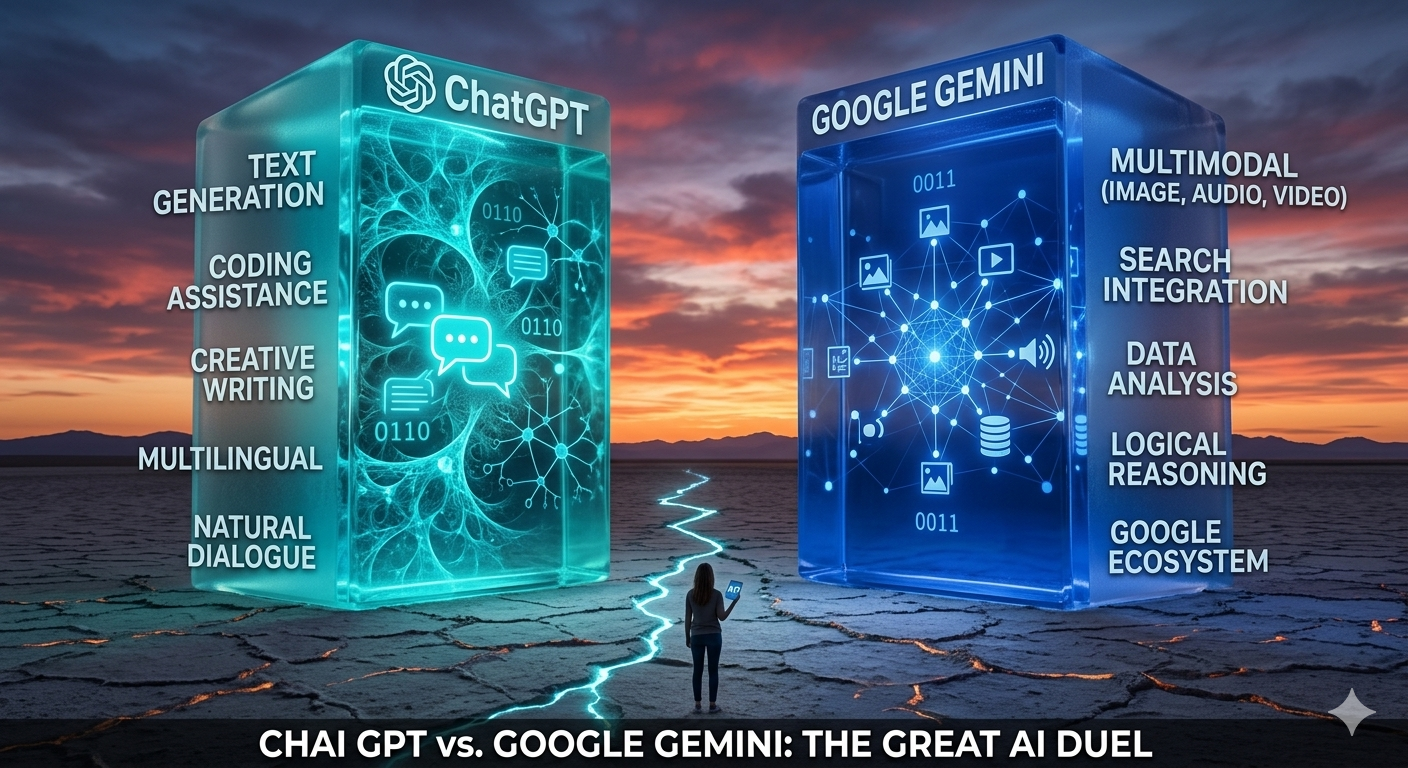
Overview
What Are We Actually Comparing?
Two AI giants, both free, both powerful — but built for very different things. Before you pick a side, you need to know what each one actually is.
Google Gemini
Google’s multimodal AI assistant family (Gemini 1.x, 2.x, 3), designed as a successor to Google Assistant and Bard. Think of it as the assistant that lives inside the Google universe — tight integration with Gmail, Maps, Calendar, and Workspace is its superpower.
ChatGPT (OpenAI)
OpenAI’s conversational AI powerhouse, running on GPT-5.2-series models. A general-purpose thinking and writing partner you open when you need deeper help with reasoning, coding, long-form content, and creative work — regardless of which apps you use.
Here’s the simplest way to think about it: Gemini behaves like a system assistant inside Google’s world, while ChatGPT behaves like a stand-alone thinking and writing partner for more demanding intellectual tasks. That distinction alone will tell most people which one to reach for.
✦ ✦ ✦
Key Features
What Each Tool Brings to the Table
Both tools are multimodal, both can browse the web, and both support a bazillion languages. But their feature sets tell two very different stories once you look closer.
Google Gemini — The Ecosystem Operator
- Multimodal understanding: Text, images, code, and voice all in one interface. You can type, speak, or show screenshots and get unified responses — including Gemini 3’s ability to interpret web pages and images in a single thread.
- Deep Google app integration: Gemini Agent connects directly to Gmail, Calendar, Drive, Keep, Tasks, Maps, and YouTube. “Find my flight details in Gmail” or “Add a calendar event from this email” — it just does it.
- Android and device-level assistant: On Pixel and many Android phones, Gemini is the built-in assistant — it can understand your screen, open apps, and control system features. No web app required.
- Multi-step task agent: Gemini Agent can plan and execute workflows like “plan a weekend trip, find flights from my Gmail, suggest hotels, and add the itinerary to my calendar” — all under your supervision.
- Workspace and research tools: In Google Workspace, Gemini can draft docs, summarize Sheets, generate slides, and answer questions about your own files. The Canvas and Deep Research features feel like an integrated writing workspace.
- Language powerhouse: 100+ languages overall, with real-time translation in 40+ via Gemini Live. It handles dialects and slang reasonably well for multilingual households.
ChatGPT — The Deep Thinker
- GPT-5.2 Instant access (free): As of early 2026, free users get GPT-5.2 Instant for about 10 messages every 5 hours, then drop to the lighter GPT-5.2 Mini. Limited, but the quality during those sessions is genuinely impressive.
- Multimodal input and web browsing: Free users can browse the web, upload files (documents, spreadsheets, code), do basic data analysis, and generate 2–3 images per day with DALL·E.
- Memory and personalization: ChatGPT can remember your preferences, recurring facts, and writing style across sessions — improving continuity especially for ongoing learning or project work.
- GPT Store and custom GPTs: Thousands of user-created specialized assistants (coding, legal, language learning, finance) available from the store, even on the free plan.
- Projects and data workflows: Free ChatGPT supports basic project sessions — upload up to 5 files, do exploratory analysis, and compare documents.
- Language and reasoning: 90+ languages, with particularly strong performance on idioms and cultural nuance. Benchmarks consistently rank it higher for complex, multi-step reasoning.
TL;DR on Differentiation
Both offer multimodal chat, drafting, translation, and coding help. Gemini wins on ecosystem integration and device presence. ChatGPT wins on reasoning depth, memory, and the breadth of its specialized GPT ecosystem.
✦ ✦ ✦
Real-World Use Cases
Where They Actually Shine in Practice
Specs are one thing. Let’s talk about what real people use these tools for day-to-day, and where each one genuinely delivers.
Gemini — Your Life in Google, Automated
- Inbox triage and scheduling: “Summarize my unread emails about the Toronto trip and highlight ones with deadlines.” Gemini reads your Gmail, proposes calendar events, and sends invites — all under your approval.
- Travel planning: Combine Gmail bookings, Maps routes, and Search results to plan a full itinerary. “Plan a weekend in Montreal using my booked train from Gmail and suggest 3 restaurants near my hotel” — it actually works.
- Smart home control: With Nest devices, get descriptive camera summaries and natural-language automations. “Turn off all lights when I leave” or “run a bedtime routine at 10pm.”
- Workspace and study: Turn bullet notes into polished Docs, summarize long reports, and track tasks via Keep and Tasks. Pairs well with Google Scholar for students.
- Media and visual tasks: Extract ingredients from a YouTube recipe, summarize the steps, and create a grocery list in Keep. Or ask “what does this form ask me for?” about a screenshot on your phone.
ChatGPT — Your Thinking Partner for Hard Tasks
- Deep learning and tutoring: “Explain backpropagation in simple terms.” With memory, it adjusts explanations to your level and maintains long-term learning plans across sessions.
- Writing and communication: Drafting emails, reports, essays, and marketing copy — with tone variants (“more formal,” “friendlier”) on request. Content creators love the brainstorming and outline-generation capabilities.
- Coding and debugging: Especially strong at debugging small snippets, explaining error messages, and refactoring for readability. Upload small code files for targeted suggestions.
- Light data analysis: Upload CSVs, ask for descriptive stats, quick charts, and insights. Combine with web browsing to summarize multiple sources and build arguments.
- Creative work: From story brainstorming to scripts to 2–3 daily DALL·E image generations for mockups and concept art — and hundreds of creative-focused GPTs in the store.
The Gut-Check Summary
Gemini is the “do things with my Google stuff” assistant. ChatGPT is the “think with me and write with me” assistant. That’s not a criticism of either — it’s just who they’re built for.
✦ ✦ ✦
What We Love
The Good Stuff — What Each Tool Does Brilliantly
Gemini — Things to Love
Standout Strength
Gemini Agent’s ability to plan multi-step workflows across Gmail, Calendar, Drive, and Maps is a genuine leap toward a universal digital assistant. You save real time because it executes actions — not just suggests them.
- Speed and factual accuracy: Tests show Gemini consistently answering common factual queries faster than ChatGPT 5.2, often with slightly higher factual accuracy (~90%) when leveraging Google Search in real time.
- Massive context window: Up to 1 million tokens, with experimental models going even higher — a major advantage for users working with large documents.
- Device integration: As the built-in assistant on Pixel and many Android phones, it can understand your screen, open apps, and interact with system features in ways a web-only assistant simply can’t.
- Language and translation: 100+ languages, real-time translation in 40+, solid dialect and slang support. Great for multilingual families and international professionals.
ChatGPT — Things to Love
Standout Strength
Independent tests consistently find ChatGPT 5.2 superior for long, complex conversations and multi-step reasoning. It thinks out loud, explains its reasoning, and corrects itself when prompted — invaluable for learning and problem-solving.
- Writing quality: Frequently rated as producing the most human-like, polished writing with great control over tone, register, and structure. For many users, that means fewer rounds of editing.
- Coding excellence: Stronger on debugging and incremental code changes, even when Gemini is competitive for larger generation tasks. The preferred daily tool for developers handling bugs and refactoring.
- Ecosystem and customization: The GPT Store, memory, and Projects make it feel like a persistent collaborator that remembers your style. Specialized GPTs for SEO, law, finance, and education are available even on the free plan.
✦ ✦ ✦
What Needs Work
The Honest Bits — Where Each Tool Falls Short
Gemini — The Frustrations
Biggest Limitation
Gemini’s greatest strengths are deeply tied to the Google ecosystem. If your email, documents, or calendars live in Microsoft 365 or Apple, much of its value proposition simply evaporates.
- Long-conversation consistency: Tests report Gemini sometimes becoming terse, losing context in very long chats, or oversimplifying advanced topics. The raw context window is huge — the effective conversational memory feels less consistent.
- Feature fragmentation and paywalls: Advanced Workspace tools, higher-end models, and deeper personalization all sit behind Google One AI Premium or Workspace add-ons. The free tier is good, but not as autonomous as the marketing implies.
- Agent reliability still experimental: Gemini Agent is explicitly labeled “experimental” by Google. Early adopters stress the need to double-check every action, especially with sensitive personal data.
ChatGPT — The Frustrations
Biggest Limitation
The free plan’s rate limits are genuinely punishing for heavy users. 10 GPT-5.2 Instant messages every 5 hours, then a drop to the lighter Mini model. During peak times, OpenAI can throttle further.
- No native integrations: Out of the box, ChatGPT has no direct connection to Gmail, Outlook, Google Drive, or your calendar. Tasks like “triage my inbox” require copy-pasting or external tools like Zapier.
- Hallucinations and overconfidence: ChatGPT can confidently present incorrect information, especially for specific factual details without web browsing enabled. Always verify critical facts in high-stakes domains.
- Feature gaps vs. paid tiers: Custom GPT creation, high-volume data analysis, and higher-tier models are behind a paywall. Free users can feel nudged toward upgrades once they rely on it for serious work.
✦ ✦ ✦
Head-to-Head
The Direct Matchup — Dimension by Dimension
Here’s the breakdown across every dimension that matters for everyday use:
| Dimension | Google Gemini (free) | ChatGPT (free) |
|---|---|---|
| Primary role | System-level assistant integrated with Google apps and Android | Stand-alone conversational assistant for reasoning, writing, and coding |
| Model access | Gemini 1.x–3 on free tier; higher variants behind Google One/Workspace | GPT-5.2 Instant (10 msgs/5 hrs) → GPT-5.2 Mini fallback; higher models paid |
| Factual accuracy Gemini | ~90% in some tests; benefits from live Google Search | High but slightly lower; limited by training data without active browsing |
| Reasoning & analysis ChatGPT | Strong but may oversimplify on complex multi-step problems | Often superior for complex reasoning, structured thinking, long explanations |
| Speed | Typically faster on simple and web-backed tasks | Can be slower; more impacted by peak-time throttling |
| Context handling | Up to 1M tokens; some reports of “losing the thread” in long chats | ~128k tokens but more consistent conversational behavior over many turns |
| Integrations Gemini | Deep native: Gmail, Calendar, Drive, Maps, YouTube, Android, Nest | No deep OS/app integration by default; relies on external tools like Zapier |
| Multimodal | Text, images, code, voice + Google media (YouTube, Photos) | Text, images, audio, files + web browsing + DALL·E (2–3 images/day) |
| Personalization ChatGPT | Memory growing; deeper personalization requires paid Google One context | Built-in memory and preferences; free users get contextual personalization over time |
| Rate limits Gemini | Generally stable with no hard message caps for most users | Explicit caps; throttled first during heavy load |
| Learning & tutoring ChatGPT | Good explanations, strong translation, strong with web-backed research | Often better for step-by-step tutoring and sustained learning journeys |
| Everyday productivity Gemini | Excellent for email, calendar, trip planning, and Google-based workflows | Very good for drafting and brainstorming, but manual when tying into real data |
✦ ✦ ✦
Pricing
What You Get for Free (and What You Don’t)
Neither tool tries to hide its premium ambitions, but the free tiers are legitimately useful. Here’s what’s in the box at $0.
Google Gemini
- Free tier
- A core Gemini assistant is available at no cost with a Google account, via the Gemini web app and mobile apps, and as the default assistant on eligible Pixel/Android devices.
- Free users can connect certain Google apps (Gmail, Calendar, Drive, Maps, YouTube) with some limitations on advanced features depending on region and product version.
- Paid tiers (for context)
- Google One AI Premium offers access to more capable Gemini models, deeper Workspace integrations, and higher usage thresholds.
- Google Workspace add-ons (e.g., Gemini for Workspace) provide team-level features, better governance, and enterprise support.
- Value for free day‑to‑day use
- For users whose digital lives center on Google services and Android, the free Gemini assistant delivers high utility without requiring immediate upgrades.
ChatGPT
- Free plan
- Includes: GPT‑5.2 Instant (10 messages per 5 hours), GPT‑5.2 Mini fallback (unlimited), web browsing, limited file uploads (e.g., ~3 per day, size caps), basic data analysis tools, image generation (2–3 images/day), and GPT Store access (using existing GPTs).
- Does not include: creation of custom GPTs (largely paid), access to higher-tier models like GPT‑5.2 Thinking/Pro, or high-volume project/data tooling.
- Paid tiers (for context)
- Value for free day‑to‑day use
- The free plan is excellent for light but high‑quality use—short bursts of deep reasoning, writing, or coding—yet frequent users quickly bump into message and tool limits.
Value Assessment
If you do many small tasks throughout the day, Gemini’s free tier feels less constrained. If you do a few deep, intensive sessions — study, coding, long-form writing — ChatGPT’s free tier will feel more impactful despite the message cap.
✦ ✦ ✦
Who Should Use Which
The Right Tool for the Right Person
Forget “which is better overall.” The real question is: which is better for you?
Choose Gemini if you are…
- A heavy Gmail and Google Calendar user who wants inbox triage and scheduling with zero extra setup
- An Android or Pixel owner who wants a phone-level assistant that understands your screen
- A busy professional juggling meetings, travel, and logistics
- A household with Nest cameras and smart home devices
- A non-technical user who mostly wants an assistant to “do things” rather than explain things
- Someone who makes many small requests throughout the day without hitting caps
Choose ChatGPT if you are…
- A student or self-learner spending significant time on complex material or research
- A developer who needs daily coding, debugging, and refactoring help
- A content creator who drafts frequent long-form content and values tone control
- Someone whose workflow lives outside of Google (Microsoft 365, Apple, etc.)
- A knowledge worker who values a few high-quality deep sessions over volume
- Anyone who wants a memory-enabled collaborator that learns their preferences over time
The Both-Is-Best Approach
A practical setup: use Gemini as your phone and Gmail assistant, and keep ChatGPT in your browser for any substantial writing or study session. They complement each other more than they compete.
✦ ✦ ✦
So… Which One Actually Wins?
It Depends — and That’s Not a Cop-Out
For free, day-to-day personal assistance, Gemini generally wins as the practical assistant if you live in Google’s ecosystem and use Android. It reads, summarizes, and acts on your Gmail, Calendar, Maps, and smart home data with minimal friction — and without hitting usage caps on every other message.
For deep thinking, learning, and creative or technical work, ChatGPT usually wins as the intellectual partner — stronger long-form reasoning, clearer explanations, and better coding help. The tight usage limits are a real annoyance, but the quality ceiling is noticeably higher.
If you must pick just one as a free user focused on everyday errands and light drafting, Gemini is the more “assistant-like” choice. For a few high-value sessions — studying, coding, major writing projects — ChatGPT’s free plan will feel more powerful. For most people? The best answer is both. They’re free. Use them together.
Gemini wins: Logistics, inbox, Android, smart home
ChatGPT wins: Reasoning, writing, coding, tutoring